


How to use Dyto
Dyto turns assessment input into structured outputs that help leaders understand posture, prioritize action, and move from vague technical anxiety to clearer decisions.
The flow is simple: choose a plan, complete the intake, select your package, and generate your output. Fewer mystery rituals. More useful signal.
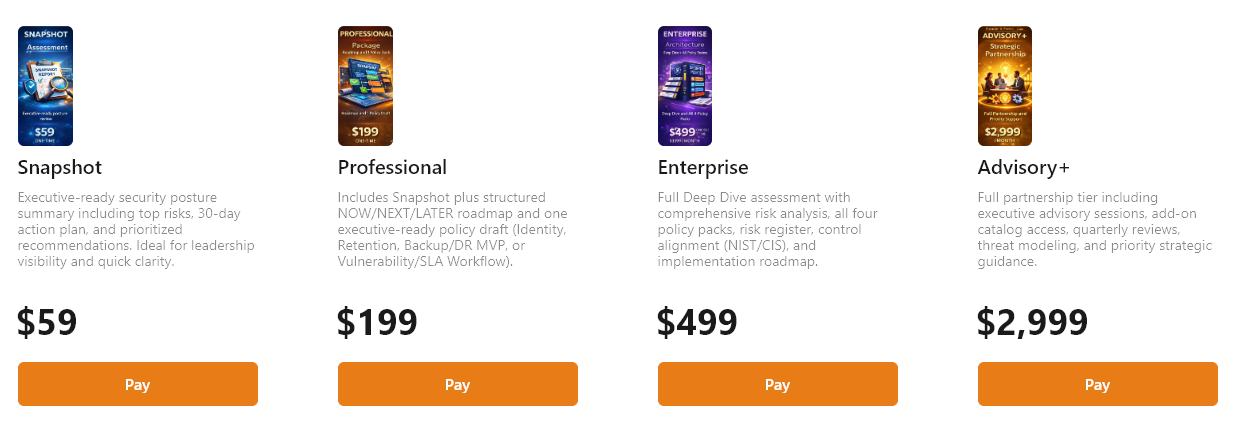
Step 1 · Choose the right Dyto plan
Start by selecting the level of capability that fits your current need. Snapshot is the fast entry point. Higher tiers unlock more depth, stronger planning outputs, policy-oriented artifacts, and premium advisory support.
Select the plan that matches your need
Use the pricing page to compare Snapshot, Professional, Enterprise, and Advisory+. If you just need fast clarity, begin with Snapshot. If you need roadmap direction, broader assessment depth, or higher-value outputs, step up from there.
- Snapshot for quick posture visibility
- Professional for stronger action planning
- Enterprise for broader policy and history support
- Advisory+ for the deepest strategic experience
Step 2 · Begin with the intake
Enter the scenario, environment, use case, and challenges. This is where you give Dyto the context it needs to produce meaningful output.
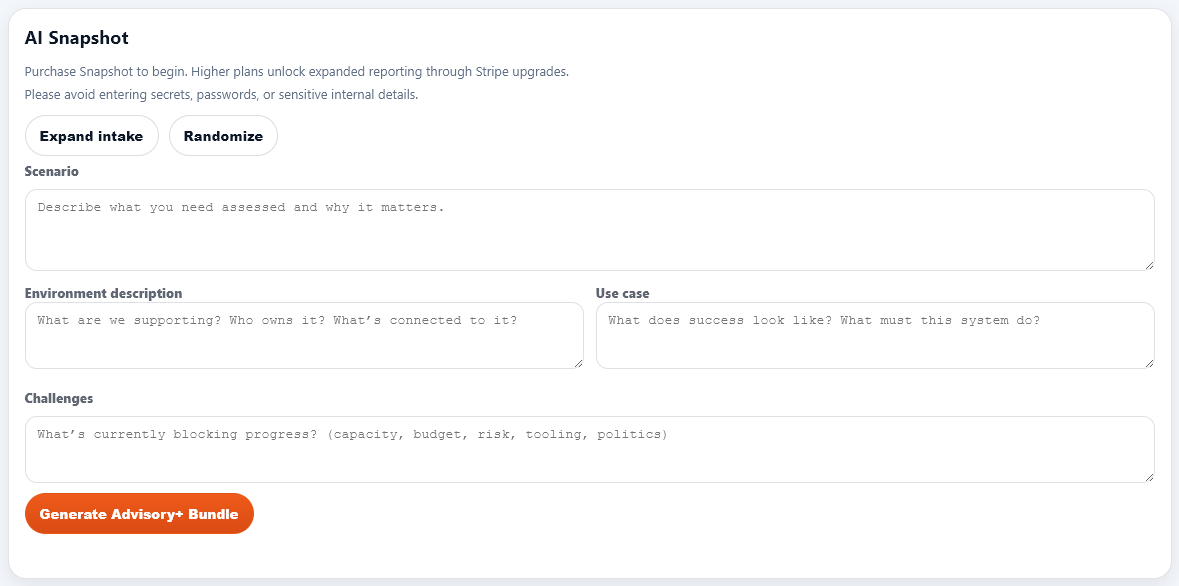
Describe what needs to be assessed
Start with the key problem, what environment is involved, what success looks like, and what is blocking progress. The goal is not to write a novel. The goal is to give Dyto enough signal to understand the situation.
- Scenario: what is happening and why it matters
- Environment: what systems or services are involved
- Use case: what the solution or outcome must achieve
- Challenges: what is making progress harder
Step 3 · Expand and enrich the intake
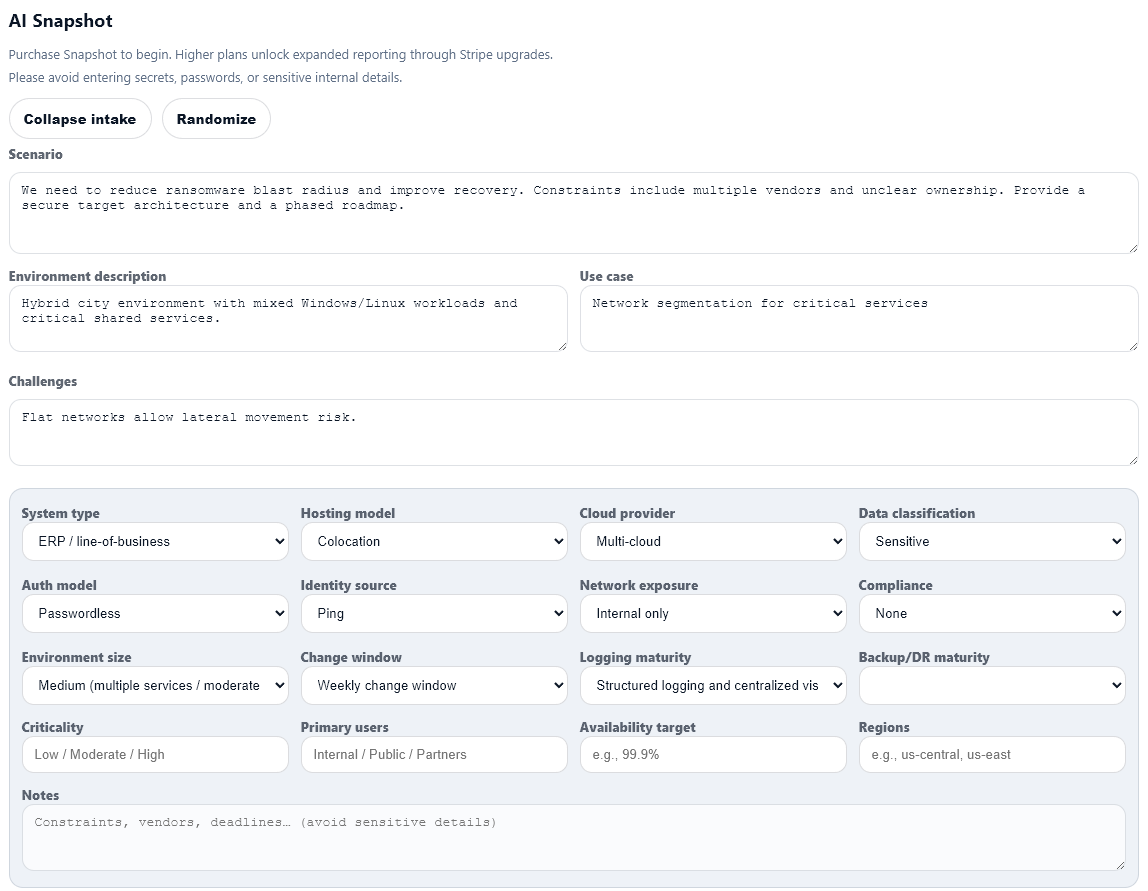
Add structured details like system type, hosting model, provider, exposure, compliance, logging maturity, and operational notes. This helps Dyto generate stronger and more grounded outputs.
Fill in the environment details
Dyto supports both quick starts and expanded intake. The more accurately you describe the system, constraints, and operational realities, the more useful the resulting analysis becomes.
- System type and hosting model
- Cloud provider and data classification
- Identity source and network exposure
- Logging, backup, change, and operational maturity
- Notes for constraints, vendors, deadlines, and context
Step 4 · Select your package level
Dyto shows the package options available to you and makes it clear which capabilities are unlocked at each level.
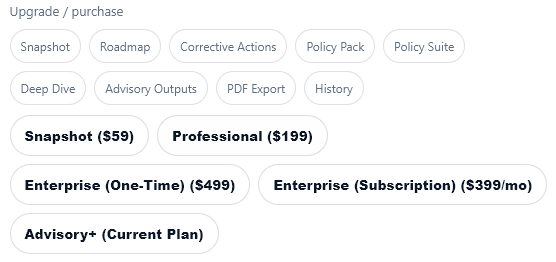
Select the plan tied to the result you want
Different packages unlock different levels of reporting and analysis. You can start small, then move upward as your needs evolve. Dyto is designed to meet reality where it lives, not where PowerPoint mythology says it should live.
- Quick summary and executive view
- Roadmap and corrective actions
- Policy-oriented outputs
- Deep-dive and advisory-grade results
Step 5 · Click generate
Once your intake is ready and your package is selected, generate the output and let Dyto produce the report structure that matches your chosen tier.
Generate the Dyto output
This is the handoff point where your intake becomes a structured result. A stronger intake plus the right package level produces better output. No sorcery. Just signal, structure, and processing.

Step 6 · Review the generated output
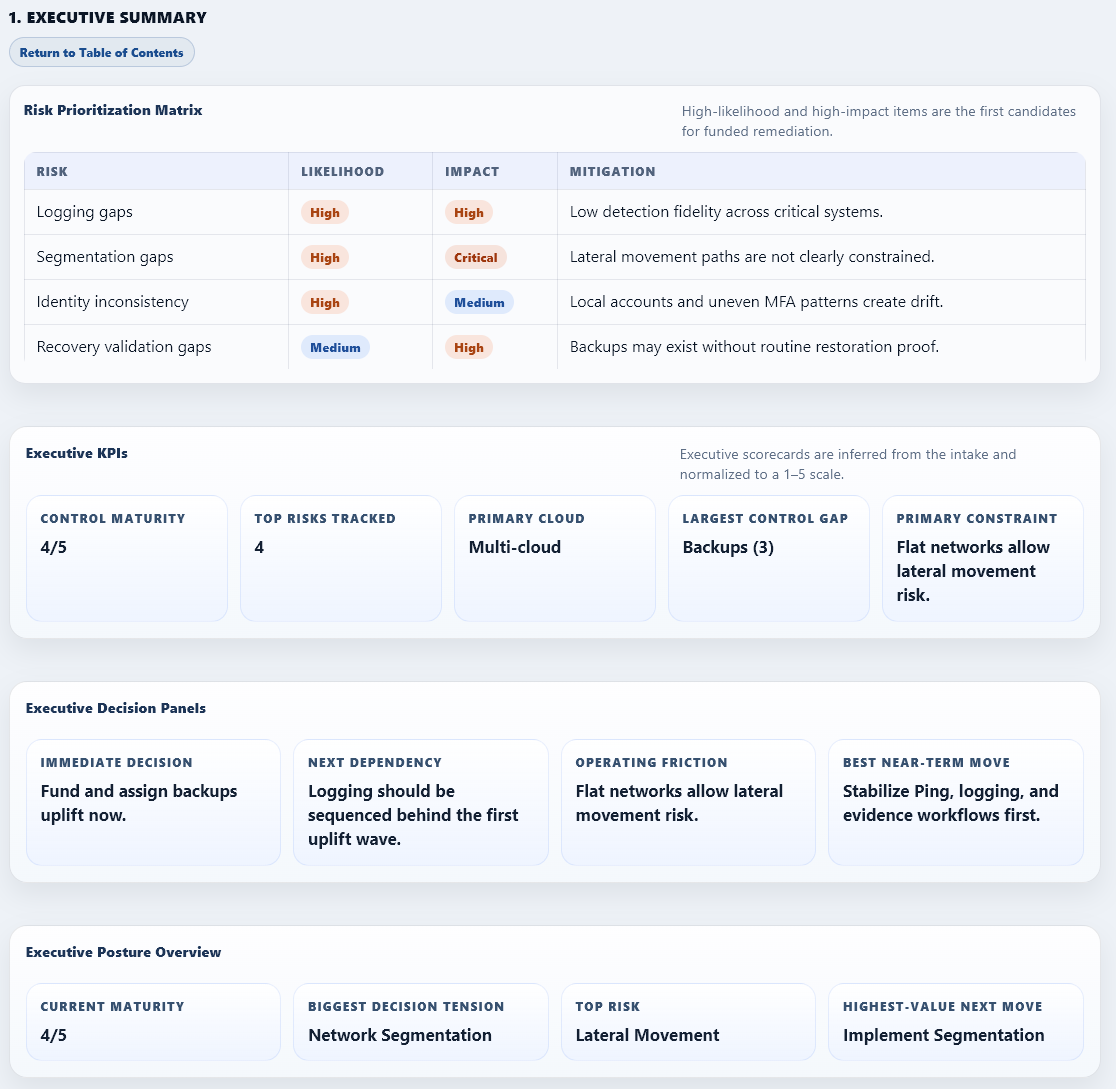
Dyto produces a structured report with executive-ready sections, risk prioritization, key metrics, decision panels, and posture summaries that can support planning and leadership discussions.
Turn output into decisions
The final report is designed to be practical, readable, and useful. It helps you identify the biggest risks, immediate decisions, control maturity, dependencies, and the highest-value next moves.
- Executive summary and risk matrix
- KPIs and decision panels
- Posture overview and next-step direction
- Outputs aligned to your selected package level
Start with Dyto
Choose the plan that matches your need, complete the intake, and generate your first structured output.